10 free robot games: build a robot, send it to fight, solve puzzles
The best part of many robot games is that you get to make the robot yourself. So we lined up these 10 games as a chain: first a game where you only design a robot, then one where the robot you draw does the fighting, one where the parts you pick decide a tournament, and one where you deploy a whole robot army. After that come duels and shooters with ready-made robots, and finally puzzle, platform and tower defense games where a robot is the hero. One of them is two-player on a shared keyboard. Five play on a phone and five need a keyboard; we say which for each.
How we picked these 10
The robot had to matter. In every game you either build it, control it or use it to solve something; games where a robot only stands in the background did not make it. We mixed genres on purpose: building, strategy, fighting, shooting, puzzle and platformer. Controls, player count and phone support come from each game's own page.
Build a robot, then send it into battle
These four games work like four steps of one idea: put a robot together, see how its shape changes a fight, let your choice of parts decide a tournament, and finally line up an entire army instead of a single machine. Play them in order and the fun of building slowly turns into strategy.
Create Your Robot
The first link in the chain is a creative game with no fighting at all. You click to combine different heads, bodies, arms, legs and wheels; placing a new part on a slot swaps out the old one. Parts with color options let you paint the robot in one tone or go patchwork. There is no winning or losing, the goal is simply to get the robot in your head onto the screen. Pick the body first, since arm and leg proportions follow it. It works with a finger on a phone, and with no combat it also suits younger players. Create Your Robot is a good warm-up for the rest of the chain.

Robot Wars
Here the robot is not built from parts but drawn by your own hand. Sketch a body with the mouse or a finger in the empty space, and that shape enters the game as a real physical object. Then the battle starts and you click to attack. A wide, balanced drawing is tough, a thin one is fast, and a broad base keeps your machine from tipping over. For more games where a line you draw changes the outcome, see our drawing puzzles guide.

Robots World Battle
You pick a body, arms and legs from the scrapyard to assemble your robot, then send it into a tournament arena. Every part changes attack, durability and speed. In the fight the robots take turns, and you steer the outcome through move choice and timing. Each round brings a stronger opponent, so check your parts after every win. A robot that puts everything into attack falls apart against the first tough rival. Robots World Battle runs entirely on clicks and taps, so it plays fine on a phone.
Mech Battle Simulator
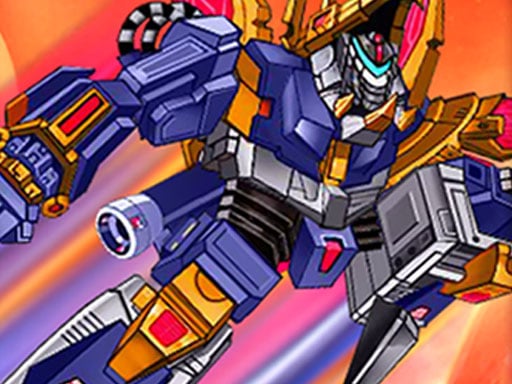
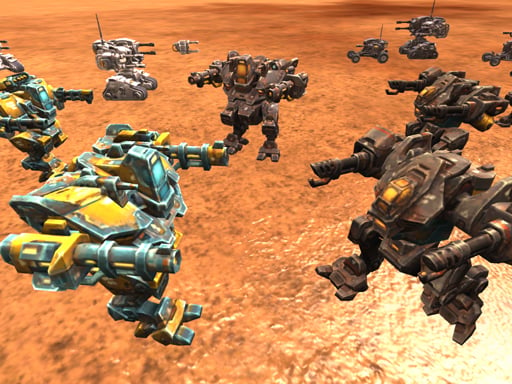
The last link swaps a single robot for an army. On a desert field you place units such as tanks, spider robots and warrior robots, start the clash and watch it play out. Once the battle begins you cannot step in; your formation decides the result. Heavy units in front and ranged ones behind is a solid opener. If you lose, rewatch the battle and see which flank collapsed first. If you enjoy planning formations, our strategy games guide has more.
Two-player robot duel
Ultimate Robo Duel 3D
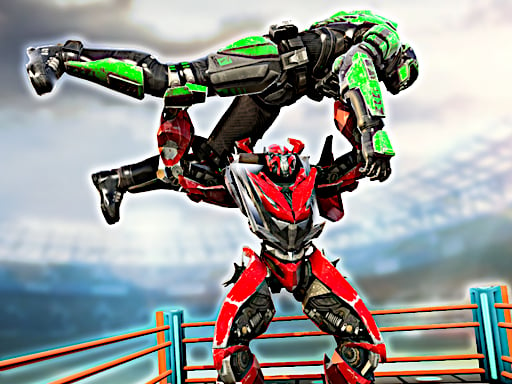
The only two-player game on the list. Two giant robots face off in a closed arena: punches are fast but weak, kicks are slow but strong, and a special attack becomes available once it charges. You can grab and throw your opponent or keep your distance with projectiles. Player one uses WASD, player two the arrow keys, and you can also play against the computer. It was designed for a keyboard, so on a phone it is hard without an external one. For blocking and combo basics, read our guide to blocks and combos in fighting games.
For more games to play with a friend on one screen, try our two-player games guide and the two-player category.
Robot shooting games
War Robot Earth Survival
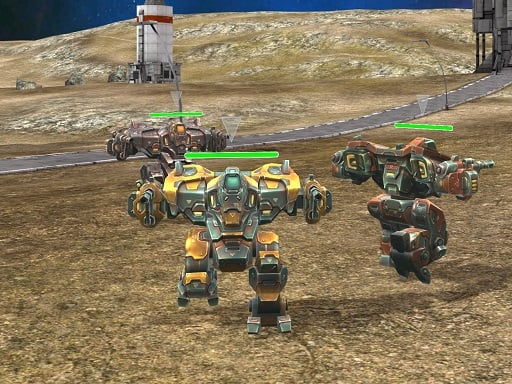
You sit inside a war robot weighing several tons. WASD drives it, the mouse aims, left click fires, and ESC opens the menu where you can switch weapons and robots. Robots turn slowly, so aim at where your target is heading rather than where it is. Moving between buildings instead of across open ground keeps you from taking fire from two sides. It needs a keyboard and mouse and does not work on phones.
Spider Robot Transformation
You control a police robot that can turn into a spider shape, patrolling city streets and fighting rival robots. Spider form is agile and climbs walls; robot form hits harder. Switching to the nimble form in tight streets and to heavy firepower in open squares is the main decision. Climbing high and shooting down gives you an angle advantage. It plays with WASD or the arrow keys, the mouse and left click, and is not supported on phones. For more battle-themed games, visit our war games page.

Robot tower defense
CatRobot Idle TD Battle Cat
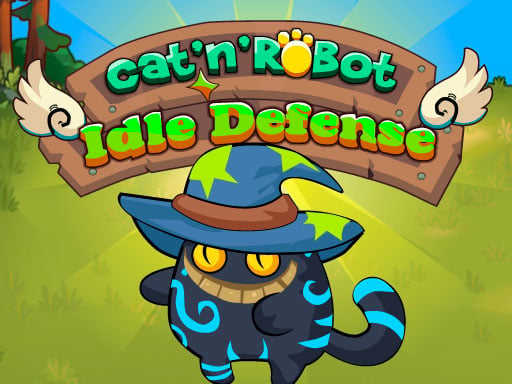
In a magical world you command warrior cats guarding a tower, and the money you earn upgrades the cats and builds your giant robot. You set the aim line toward where enemies are heading and fire arrows with a single tap. Between waves you buy damage, fire rate and health upgrades, and tougher bosses show up at the end of each stage. Spending on damage first makes sense in the early stages. On a phone you tap and drag to aim. Cat fans will also find it in our cat games list.
Robot puzzles and platformers
Zappy
A small robot has to carry a mysterious box to the goal at the end of each level. You walk with WASD or the arrow keys and pick up or drop the box with Space or E. Sometimes the box is a weight to hold down a platform, sometimes a step to reach higher ground. Watching a trap's rhythm once before going in is the safest approach. If you want a robot game with no fighting, this is the first place to look. Zappy needs a keyboard.

Brazen Ball
This time the robot is a ball, rolling through courses full of saw blades, lasers, meteors, magnets and wind toward the finish flag. The clock is running, so finishing fast matters as much as finishing. Roll with A and D or the arrow keys, jump with W or Space. On magnet and wind stages, short taps keep you in control. It needs a keyboard, so a computer is the better fit. For jump timing tips, see our platform games guide.

Which one should you start with
If you want to build your own robot, try the chain in order:
- Create Your Robot: just build, no pressure
- Robot Wars: draw it, then fight
- Robots World Battle: pick parts, enter the tournament
- Mech Battle Simulator: deploy an army, watch the result
Got a friend next to you: go straight to Ultimate Robo Duel 3D. Solo action: War Robot Earth Survival or Spider Robot Transformation. Nothing violent: Zappy or Create Your Robot. On a phone: the four building games and CatRobot Idle TD Battle Cat all work with touch. For shooters in general, our shooting games guide is the next stop.
Frequently asked questions
Which game lets me build my own robot and fight with it?
In Robots World Battle you choose the parts, assemble the robot and take it through a tournament. In Robot Wars you draw the robot yourself and fight with whatever shape you made.
Is there a two-player robot game?
Ultimate Robo Duel 3D is played by two people on one keyboard: one on WASD, the other on the arrow keys. You can also play it alone against the computer.
Can I play robot games on my phone?
Five of the 10 games here work with touch: Create Your Robot, Robot Wars, Robots World Battle, Mech Battle Simulator and CatRobot Idle TD Battle Cat. The other five need a keyboard.