Numbers, letters, memory, shapes: which learning game fits your child?
An educational game is one you cannot move forward in without using a specific skill: counting and arithmetic, letters and sounds, memory, or turning shapes around in your head. So the smart way to pick one is to ignore the word educational on the label and ask which skill the game actually demands. This guide sorts the learning games on Oyun Köşesi by skill and suggests an age range and a session length for each group. All twelve games below are free, single-player, run in the browser and work on a phone or tablet with touch.
What makes a game educational?
Seeing numbers or letters on screen is not enough. The real test: does your child have to use that skill to take the next step? If a math game will not show the next question until the right answer is picked, doing the sum is the game. A racing game with a score counter merely contains numbers. It does not teach them.
Once you apply that test, choosing gets easier. On this site learning games live in the Education category, and even that shelf is mixed: some titles are gentle exploration games for preschoolers, others are quick-fire drills for middle schoolers. The age ranges below are our suggestions, drawn from what each game page says and from how much reading, counting or dragging the game expects. You know your child better than any list does.
Types of educational games by skill
We grouped the twelve games under seven headings. The first four are the core skills parents search for; the last three cover attention, planning and musical ear.
Number and arithmetic games
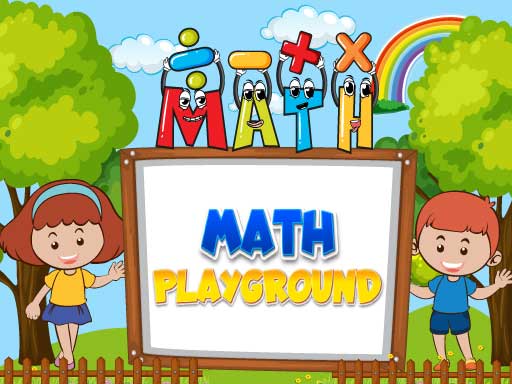
Math Playground is a steady stream of four-operations questions. You read the sum on screen and tap the right answer from the options; a correct answer opens the next question, a wrong one sets you back. It starts with addition and widens to multiplication, division and geometry. It suits early elementary kids who already add and subtract, and 10 to 15 minutes is plenty.
Crossmath Challenge looks like a crossword but wants numbers instead of letters. You drop numbers from a tray into the grid so that every row and every column works out at the same time. There is no timer, and the Undo button sends a misplaced number back to the tray. It is a natural next step for kids around 8 and up who are comfortable with all four operations. Set aside 15 to 20 minutes for a level or two.
Order of Operation Challenge targets the middle school topic many kids know as PEMDAS or BODMAS: brackets first, then powers and roots, then multiplication and division from left to right, and addition and subtraction last. You pick the right result from four options before a countdown runs out. Anyone who simply works left to right lands on one of the trap answers. Because of the clock, short runs of 5 to 10 minutes work best.
Letters, colors and shapes for preschool
Alphabet for Child shows a picture of something starting with each letter you tap and says the word out loud. There are no points, no timer and no way to lose. Everything rests on pictures and sound, so a child who cannot read yet can still play. The letters and words are English, which makes it a direct fit for English-speaking families. For ages 3 to 6, a few letters a day in 5 to 10 minutes is enough.
Kindergarten Kids Learning Games bundles several small activities behind one menu: counting, shape recognition, coloring and simple hand-skill games. Again there is no losing and no time pressure. It is built for the preschool age group, and opening two or three activities and then stopping works better than trying to finish the whole set in one go.
Memory games
There are two kinds of memory at play here, and two games train them separately. MemoPlay leans on visual memory: at the start of a level the cards stay face up for a few seconds, then flip over, and you hunt for the two pictures of the same sport. It has three difficulty levels with more than ten levels each, so a young child can stay on easy while an adult tries hard.
Baby Repeater asks for sequence memory instead. The game lights up a series of colors, each with its own sound, and you repeat them in the same order. Every round adds one more color, and a single mistake ends the game. For school-age kids a 10-minute session is enough.
Shapes and spatial thinking
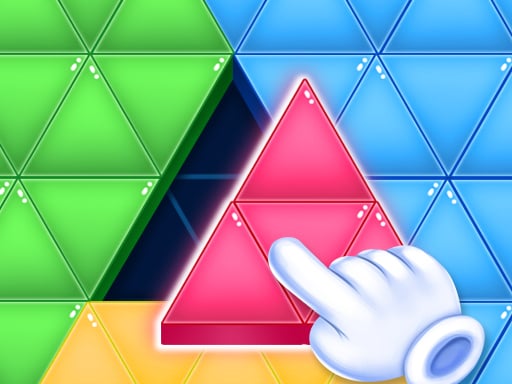
Tri Puzzle has you drag colored triangles and blocks into the empty slots of a shape. A piece that fits clicks into place; one that does not slides back to where it started, with no penalty and no lives lost. No reading is needed, so it suits preschool and the first school years. The lesson is reading the angle of an edge rather than the color, since several pieces can share a color.
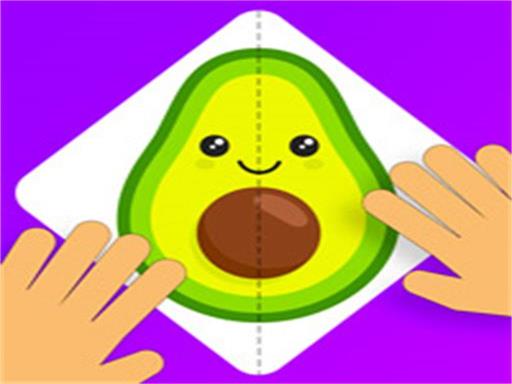
Paper Fold Super Smart is the next rung up. Tap a piece and it folds over its neighbor; the goal is to fold everything in the right order so the picture in the middle is complete. Fold in the wrong order and a piece lands where you did not want it. There is no timer, but the number of pieces grows each level, which makes it a better fit from about age 7.
Attention and observation
Difference Find Master Game puts two nearly identical pictures side by side and hides small changes in one: a detail in another color, a missing object, a line that moved. Levels run on a time limit, repeated wrong clicks trigger a warning, and a hint button reveals one difference when you are stuck. The rule is easy to grasp, so kids from around 5 or 6 can join in, while later levels keep adults busy too.
Logic and planning
Color Water Sort asks you to separate mixed colors in a row of tubes. Liquid can only be poured onto the same color or into an empty tube, and the level is done when every tube holds a single color. Moves are unlimited and there is no clock; if you jam the tubes, you restart the level. The rule fits in one sentence, so young kids can start, but later levels reward thinking several pours ahead.
Music and ear
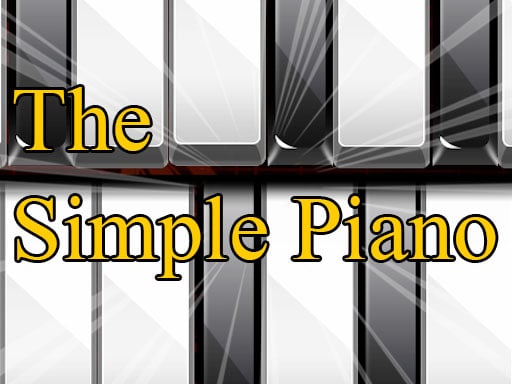
The Simple Piano is more of a practice tool than a game: a full keyboard, sounds sampled from a real piano, and no score or levels. On a touch screen you can press several keys at once and build chords; with a mouse you play one key at a time. Most simple nursery tunes use only the white keys, which makes those a friendly first try.
Quick picks by age and session length
This grouping follows how much reading, counting and fine motor control each game expects. The times are suggestions. Stopping when a level or round ends makes for a calmer finish than cutting a child off mid-level.
- Ages 3 to 5: the alphabet game, the kindergarten set and Tri Puzzle. None of them has a fail state; 5 to 10 minutes is enough.
- Ages 6 to 8: the addition and subtraction questions in Math Playground, MemoPlay on easy, spot the difference and water sort. Around 10 to 15 minutes.
- Ages 9 to 11: Crossmath, paper folding, the light and sound memory game and the piano. Around 15 to 20 minutes.
- Ages 12 and up: the order of operations quiz and MemoPlay on hard. Keep timed games to short runs of 5 to 10 minutes.
Mixing timed and untimed games in one sitting also helps. Start with a calm puzzle, finish with a short quiz, and your child is not stuck at the same pace the whole time.
Controls: mouse, touch and drag
Every game in this guide is played with one finger or one mouse button. None of them needs the keyboard, which is why a tablet is often easier than a laptop for small children.
- Tap to choose: Math Playground, order of operations, the alphabet game, MemoPlay, Baby Repeater, spot the difference, paper folding and water sort.
- Press and drag: Tri Puzzle. In Crossmath you can either tap a number and then a cell, or drag it straight in.
- Multi-touch: the piano, for chords. If the keyboard does not fit on screen, swipe sideways to reach other octaves.
- Arrows: in the alphabet game you move between letters with the arrow keys or the on-screen arrows; in the kindergarten set the back arrow returns to the menu.
If the screen looks cramped or taps do not register on a phone, our guide to playing on a phone or tablet covers the usual fixes.
Four questions to ask before you choose
First, which skill do you want to work on? If times tables are the struggle, open a number game, not a memory game. Second, can your child read yet? The alphabet game, the kindergarten set and Tri Puzzle need no reading at all, while the math games at least expect your child to recognize digits.
Third, how does your child handle time pressure? The order of operations quiz and spot the difference both run a clock; Crossmath, paper folding, Tri Puzzle and water sort do not. For a child who freezes when rushed, begin with the untimed ones. Fourth, how does your child handle losing? In Baby Repeater a single slip wipes the run, while in Tri Puzzle a wrong piece just slides back quietly. For a child who gets upset quickly, the second kind is the gentler start.
A note on language: the alphabet game and the kindergarten set use English letters and English voice-over, so English-speaking kids get the most out of them.
A step-by-step path for beginners
For a child who is new to learning games, this order raises the difficulty gradually:
- Step one: the alphabet game and Tri Puzzle. No losing, and control is a single tap or drag.
- Step two: the kindergarten set and MemoPlay on easy. Now there is a goal and an ending.
- Step three: Math Playground and water sort. Right and wrong feedback plus some simple planning.
- Step four: spot the difference and Baby Repeater. A clock or a streak adds pressure.
- Step five: Crossmath and paper folding. You need to think a few moves ahead.
- Step six: the order of operations quiz. Rules, speed and focus all at once.
The piano sits outside this ladder. It is a free-play break you can open at any step.
Best educational games, grouped by skill
Jump straight into a game from the cards. For numbers, this trio forms a ladder from simple addition all the way to order of operations.
 ▶Math Playground - Free Four Operations Practice
 ▶Crossmath Challenge - Free Number Grid Puzzle
 ▶Order of Operation Challenge - Free Math Quiz
Letters, colors and shapes for preschoolers: neither game needs reading, and neither has a way to lose.
Two routes to memory practice: one asks where the cards were, the other asks in which order the lights flashed.


Shapes and space: drag-and-drop slots for little ones, folding order for older kids.
One game each for attention, planning and ear.
 ▶Difference Find Master Game - Spot the Difference
 ▶Color Water Sort - Free Liquid Sorting Puzzle
 ▶The Simple Piano - Play Piano in Your Browser
Related reading
We explain why spot the difference makes a good attention exercise for kids in a separate article, and more games of that kind are collected on the spot the difference games page. Picks for the youngest players are on the kindergarten games page, and notes on safety and screen time are in safe browser games for preschoolers and in our parents' guide to browser games. If water sort clicked for you, the puzzle games guide breaks that genre down by mechanic.
Frequently asked questions
Can educational games replace homework or lessons?
No. The math games and the piano are practical tools for revisiting something already learned and building a habit, not for teaching a topic from scratch. They work best when a short game follows the lesson the same day.
From what age can children play these games?
The alphabet game, the kindergarten set and Tri Puzzle need no reading and suit preschoolers. The math games expect your child to know digits, and the order of operations quiz calls for middle school knowledge. Use the age list above as a starting point, and step back a rung if your child seems to struggle.
Do these games work on a phone or tablet?
Yes. All twelve games in this guide run on a touch screen. The piano is the one that benefits most from touch, since chords need several fingers at once.
Are scores and progress saved?
Math Playground, the order of operations quiz and Baby Repeater show your score during the session, but closing the tab can reset it. If you want to chase a record, keep playing in the same session.