Choosing Safe Browser Games for a 3 to 6 Year Old
A safe browser game for a preschooler is one your child can play without reading, without being timed or punished for mistakes, and without a chat box or a shop inside it. It should work with big taps or simple drags, and it should end at a natural point so stopping is easy. The games below meet those points based on how each one is described on its own page, and every one of them works on a phone or tablet as well as a computer.
One honest note first: free browser games are paid for by adverts, and some games show one before or between rounds. For a three or four year old, that is the main reason to sit nearby. An advert is not a problem in itself, but a small child can tap it without meaning to and land somewhere unexpected.
What to look for in a game for ages 3 to 6
Children this age cannot read instructions, lose patience with fiddly controls and get upset when a game declares them the loser. A good preschool game works around all three. Pictures and sounds explain what to do. Touch targets are large. A wrong answer either springs back or gets another try, and nothing counts down.
It also helps if the game has a clear shape: a picture to finish, a puzzle to complete, a baby that falls asleep. That gives you a gentle point to say 'that one is done, time for lunch' without cutting your child off mid-action.
A quick checklist before you hand over the screen
- Can your child start the game without reading anything?
- Is there a timer, a lives counter or a 'game over' screen? For the youngest, none is better.
- Are there chat boxes, usernames or ways to talk to strangers? A preschool game should have none.
- Does it ask for a login, an email or a purchase? Close it if it does.
- Is it comfortable with a finger on a tablet, or does it need a keyboard?
- Does a round end somewhere natural, so stopping feels normal?
- Have you played it for two minutes yourself first?
That last point matters most. Two minutes of your own time tells you more than any description.
Picks by age
At three and four, look for games that react to every touch and never judge. Exploring letters, colouring and playing with sounds fit this age well because there is no wrong move. At five and six, children often enjoy a small challenge, such as matching a shape, finishing a jigsaw or reading what a baby needs from a picture. They still do best without timers.
The eight games below are drawn from our kids games and educational games sections. The details come from each game's own page.
Kindergarten Kids Learning Games (ages 3 to 6)
Kindergarten Kids Learning Games is a pack of small activities behind separate icons: counting, shape recognition, colouring and simple hand control. In the number and shape rounds your child answers by touching the right object. Nothing can be lost and no clock runs, and each activity returns to the menu when it is done. It is a good first stop because it covers several skills in short pieces.
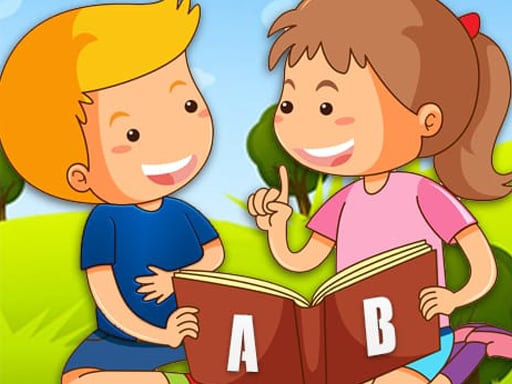
Alphabet for Child (ages 3 to 5)
In Alphabet for Child the letters are laid out on the screen. Touch one and a picture of something starting with that letter opens, with the word read aloud; touch again and a short animation plays. Nothing is scored or timed. It works well with a parent alongside, saying the letter sound and asking what else starts with it.
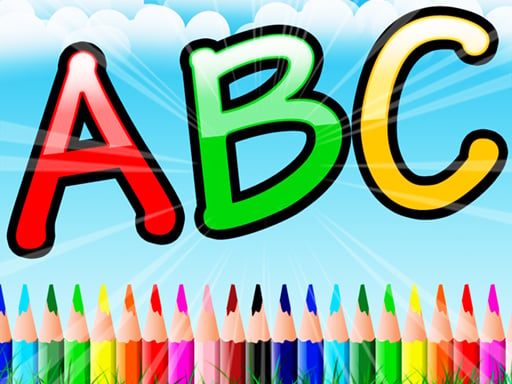
Coloring Book For Kids (ages 3 to 6)
Coloring Book For Kids has a large set of line drawings, from animals to vehicles. The paint bucket fills a whole area with one tap, which suits small hands, while older children can switch to the brush and paint by hand. An eraser takes back any spills, and there is also a colour-by-number mode for five and six year olds who know their numbers.
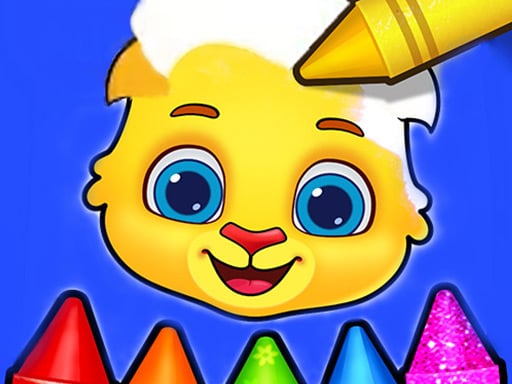
Piano Kids Music Songs (ages 3 to 6)
Piano Kids Music Songs turns the screen into a set of colourful instruments: piano, xylophone, drums, trumpet, flute and guitar. Tapping plays the note, and in song mode the keys light up one after another so a child can follow a tune. Nothing is timed and nothing can be lost. It can get loud, so check the volume first.

Animal Shape Puzzle (ages 4 to 6)
In Animal Shape Puzzle an animal silhouette sits at the top and your child drags the matching pieces from the row below to fill it. A wrong piece springs back instead of counting as a mistake. The first animals are simple and later ones bring more pieces that look alike, so it grows with the child.
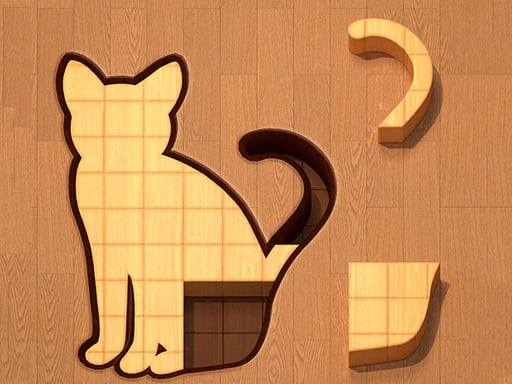
Dino Puzzle (ages 4 to 6)
Dino Puzzle breaks colourful dinosaur drawings into pieces. A piece dropped in the right gap locks in place, and a wrong drop just frees it for another try, with no penalty at all. It is simple enough for a small child alone, and a good bridge towards physical jigsaws.

Baby Panda Care (ages 4 to 6)
In Baby Panda Care an icon above the panda's head shows what it needs: food, a bath or a blanket. Your child moves between the kitchen, bathroom and bedroom to find the right item and drags it over. There is nothing to lose. It works best for children who can read a picture hint and follow a short sequence.

Baby Care (ages 4 to 6)
Baby Care is similar but more direct. Items sit along the edge of the screen, a hint bubble shows what the crying baby wants, and dragging the right item onto the baby calms it. Work through the needs until the baby falls asleep and the level ends, which gives you a ready-made stopping point. We have a separate page on baby care games for parents if your child loves this type.

Playing together works better than handing over
At this age, a browser game is at its best as something you share. Sit beside your child for the first few rounds, and talk about what is on screen: name the colour you are both choosing, count the jigsaw pieces left, ask what the panda wants before tapping. That turns a solo tap-fest into a short conversation.
Let your child lead. If they want the same colouring picture five times, that is fine. Resist the urge to take the tablet and do the tricky piece for them; a wrong piece that springs back is part of the game. When they finish something, notice it out loud.
A simple house rule
Agree the length before the game starts, not in the middle of it. Something like 'two pictures, then we go outside' is easier for a young child than a number of minutes on a clock. Choose games that end in clear steps, and stop at the end of one. Keep the tablet in a shared room rather than behind a closed door, and turn the volume to a level you can live with.
For more on choosing games for older children, see our parents' guide to browser games, and the kindergarten games guide collects more options for this age group.