10 games that are hard on purpose: where you crack and how to get past
If you are looking for hard games, the ten here share one thing: the difficulty is the point, not a flaw. Climbing games that drop you when you fall, one-button reflex games that forgive nothing, timed runs and pixel platformers that restart the level on one wrong step. For each game: why it is hard, where patience snaps, and one tip for the first wall.
Hard versus unfair
A good hard game beats you with rules, not luck. Here the rocks stay put, enemies move on a fixed beat and the reflection never lies, so when you lose, you see why. What we looked for:
- Simple controls, hard mastery: most use one button or one drag.
- Mistakes cost a lot: back to the start, lost height or a finished run.
- Fast retries: no long waits, the next attempt starts right away.
For the whole genre, see the platform games guide; for timing and reflexes, the skill games guide. This article only collects the ones that test your patience most.
Climbing: the height you lose stays lost
Kara Climb
You click to make Kara hop from rock to rock; fall into a gap and the climb is over. Higher up, rocks get sparser and timing tighter; hard mode widens gaps and raises the tempo. Patience snaps near the top: you see the finish, you rush, and rushing is what makes you fall.
One tip for the first wall: look at the next rock, not the one you are on, and time the jump to it. Reach the top in normal mode a few times before trying hard mode. Kara Climb also plays on a phone with a tap.

Blob Climbing
A slingshot: pull the blob back, let go, and it sticks to the rock it hits. The further you pull, the further it flies; a bad angle sends it down and you climb that height again. Higher up, rocks shrink and gaps widen. The breaking point comes right after a fall, when angry quick shots send you even lower.
One tip for the first wall: full power is not always right. Put the aim line on the middle of the next rock and grab small rocks with short throws. Blob Climbing plays on a phone by dragging with your finger.

One button, zero tolerance
Here you only press one button, so you cannot blame the controls: every mistake is timing.
Circle Jump
The ball circles on its own; you only choose when to jump. Touch a spike and it is over, and every clean jump speeds up the spin while some spikes move. Panicked double taps are the classic run-ender.
One tip for the first wall: do not watch the spike, watch the gap just before it. Jumping early is safer than jumping late, so leave room to land. Circle Jump uses Space, a left click or a tap anywhere on a phone screen.

Mini Switcher
A small blue blob keeps moving, and you flip gravity to stick it to the ceiling or the floor. Hit a spike or an enemy and the level restarts, a rule that never softens over thirty levels. Finished levels wait again in speedrun mode.
One tip for the first wall: flip one step before the obstacle, since the blob keeps travelling in the air. Enemies follow a fixed rhythm, so watch one cycle first. Mini Switcher uses X, Space, a left click or a tap.
Infinite Stairs Online
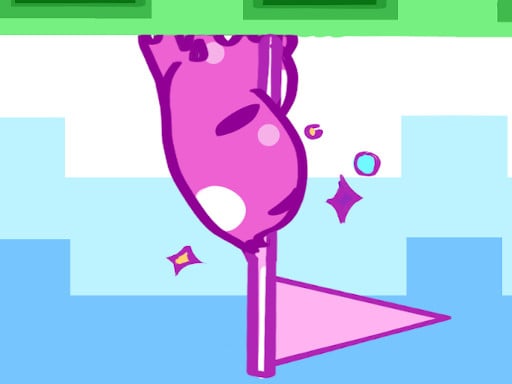
An arrow key climbs one step, Space turns you when the stairs change direction. The timer drains and only refills as you climb; stop and the run ends, press the wrong way and you stumble. The second mistake is what breaks you: speeding up to recover wrecks your rhythm.
One tip for the first wall: get the turn ready one step before you reach the corner. After a slip, take two or three calm steps to find the beat again. Infinite Stairs Online is keyboard-only; its game page lists no phone support.

Time and speed pressure
2 Minutes to Escape
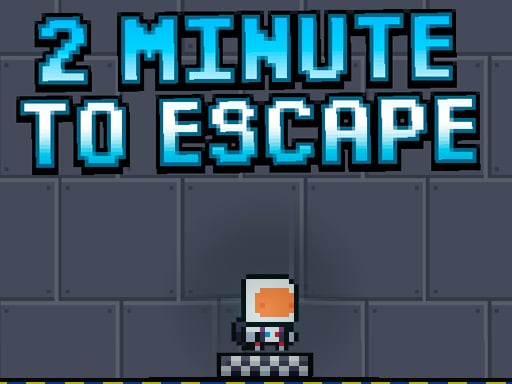
Two minutes on the clock. In every room you find the red button that opens the door, then reach the exit; fall and the level restarts, run out of time and you lose it. Thinking time comes out of the same two minutes.
One tip for the first wall: look for the button the moment you enter, since waiting by the door wastes time. Pick your landing platform before you jump, because steering in the air is hard. 2 Minutes to Escape plays with arrow keys or on-screen buttons on a phone.
Ramp Car Stunts Impossible
You drive on ramps floating in the sky, and every level asks one speed question: too slow and you drop, too fast and you overshoot. Fall and the level restarts; each new one is narrower and higher.
One tip for the first wall: spend your first attempt measuring the distance, not trying to win. On long ramps, ease off the gas in the last third and tip the nose slightly down in the air. Ramp Car Stunts Impossible uses the arrow keys or WASD, so you need a computer.

Pixel courses: no mistakes forgiven
One Bit
A black and white pixel hero, spike fields, narrow ledges, moving platforms. Die and you return to your last checkpoint, or the very start if you placed none. Half the challenge is jumping, half is choosing where to drop checkpoints.
One tip for the first wall: press C right before a hard jump, but place it on solid ground, not at the edge of danger. On moving platforms, jump as the platform starts moving away from you. One Bit uses WASD or the arrow keys, and on-screen buttons on a phone.
DuaLight
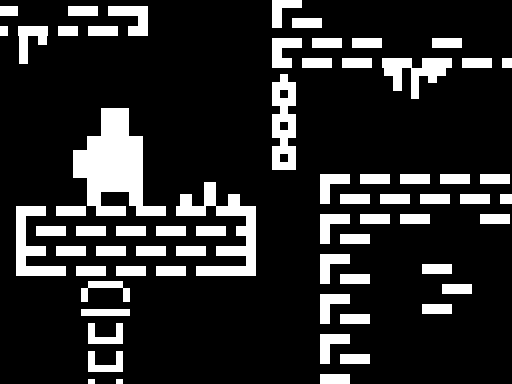
This game fools your eyes. Platforms that look solid up top may not exist; the real path shows in the reflection below. A wrong step means a fall and a restart. Levels are short, but instinct keeps pulling you to the top image.
One tip for the first wall: look down at the lower half before every jump. Unsure about a platform? Walk to its edge and check the reflection. DuaLight needs a keyboard, so a computer is more comfortable.

Roller Ball Adventure
You roll a red ball through a factory of presses, gears and spikes. Land on an enemy and it pops; hit it from the side and you lose a life. The exit opens only with enough yellow stars, and difficulty stacks over a hundred levels.
One tip for the first wall: scan the level for stars at the start; reaching the exit and doubling back often costs a life. Roller Ball Adventure plays with the arrow keys, and its page lists no phone support.

When you are about to rage quit
In hard games, your opponent is often not the game but the patience you lose attempt after attempt. A few practical rules:
- Fell five times in the same spot? Play the next attempt just to watch: the rhythm, the distance, the enemy's turn.
- Slow down when you feel like speeding up. In Kara Climb, Blob Climbing and Infinite Stairs, rushing after a mistake brings the next one.
- Set one small goal: not the whole game, just the next rock or the next room.
- Take a short break; coming back with fresh eyes beats forcing it with tense hands.
For jump timing in general, the platformer jumping tips go deeper into double jumps and landings.
Which one to start with
To ease in, start with DuaLight or One Bit: short levels, and checkpoints or quick restarts soften the penalty. Curious about one-button games? Circle Jump first, then Mini Switcher. The real patience test is climbing: in Blob Climbing and Kara Climb one fall can undo minutes of work. On a phone, go for Kara Climb, Blob Climbing, Circle Jump, Mini Switcher, One Bit and 2 Minutes to Escape; the other four need a keyboard. More in the platform category.
Frequently asked questions
Which is the hardest game here?
It depends on you. Sharp timing makes one-button games easier, while climbing may still hurt. Try one game from each group to find your weak spot.
Are hard games OK for kids?
Kids can handle the simple controls, but losing at the same spot again and again gets frustrating fast. One Bit, with checkpoints, or DuaLight, with short levels, is a gentler start.
Why do I always go back to the start?
That is part of the design: a heavy penalty makes every clean run count. You can shrink it by placing checkpoints in One Bit or by unlocking Mini Switcher levels one at a time.