Color by number online: the numbered palette, where to start, when to zoom
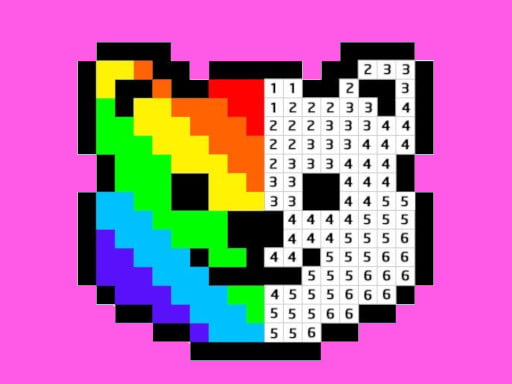
Color by number works like this: the picture is split into small numbered areas, and every number in the palette stands for one color. You pick a number, then fill every area carrying that same number. Once all numbers are done, the picture appears on its own. To finish quickly and cleanly you only need two habits: start with the number that covers the most space, and finish one number completely before switching. When the cells get tiny, zoom in before you tap.
No drawing talent is needed, just patience and a bit of order. That is why it suits kids who have only just learned their numbers as much as adults who want a quiet way to switch off.
The rules of color by number, step by step
- The picture sits on a grid or is cut into pieces, and every cell shows a number.
- A numbered palette sits at the bottom of the screen, each number next to its color.
- Tap a number to select its color. From then on only cells with that number take the color.
- Click a cell, or hold and drag to fill a whole run of cells in one stroke.
- Tap a cell with a different number and, in most games, nothing happens. In Pixel Art - Color by Numbers a cell only accepts the color of its own number, so the picture cannot be ruined.
- When every numbered cell is filled, the picture is complete and you move on to the next one.
Those last two points are the big difference from paper paint-by-number books. On paper a wrong color stays there for good; on screen a wrong tap usually does nothing at all, so there is nothing to fix.
Worked example: a six-color pixel cat
Picture a 30 by 30 grid showing a cat. The palette has six numbers: 1 light blue (background), 2 orange (body), 3 dark orange (stripes), 4 white (chest), 5 black (eyes and outline), 6 pink (nose).
Most people start with the eyes, number 5, because they are the fun part. But the eyes are a handful of cells and tell you almost nothing about the picture. The better opening move is number 1: the background may cover half the grid. Drag across it in a few strokes and the cat's outline suddenly pops out.
Next comes number 2 for the body, and the picture is already readable. Numbers 3 and 4 sharpen the shape. The tiny cells of 5 and 6 are left for last, and that is zoom work: enlarge the picture and tap them one at a time. In this order you tap less and you can see the picture grow the whole way through.
Tip 1: Start with the biggest area
Large areas are the skeleton of the picture. Fill them first and the small cells that remain are fewer and much easier to place. The tip for Diamond Painting ASMR Coloring points the same way: begin with the color that repeats most, and the shape of the image shows up early.
To spot the biggest number, look at the picture from a distance for a few seconds. Wherever the same number sits in one wide block, you are usually looking at the background or the main figure.
Tip 2: Finish one number before switching
Every color switch makes your eyes hunt again, and half-done numbers leave little gaps behind. Once you pick a number, clear all of its cells from the screen. To be sure it is done, sweep slowly across the picture from one side to the other. A single missed cell is the one you will search for longest at the very end.
Zooming in pixel and mosaic versions
In pixel art and diamond mosaic versions the cells are often smaller than your fingertip. Two tools make life easier.
Pinch to zoom
On a phone, Pixel Art - Color by Numbers lets you pinch with two fingers to zoom in. Paint large areas by dragging while zoomed out, then enlarge the picture for the fine work like eyes and edges. Trying to hit tiny cells from far away is tiring and causes more wrong taps.
Drag to fill
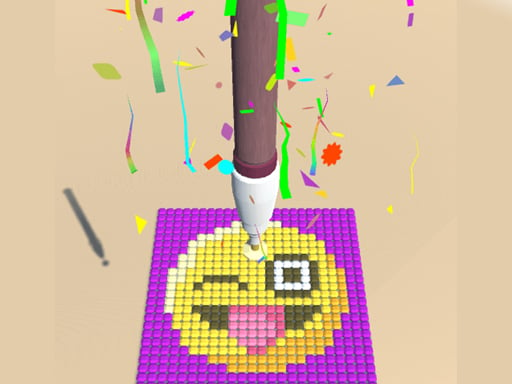
In the diamond mosaic, instead of dropping gems one by one, hold your finger down and slide it: neighboring slots of the same color fill in one move. A gem of the wrong color will not stick, so you can go fast without worry. Do not leave the edge slots for last either; they are what makes the frame of the picture crisp.
Common mistakes
- Starting with the most interesting little detail. Eyes and mouths are tempting but do not move the picture forward.
- Switching colors all the time. Each switch means finding your place again.
- Aiming at tiny cells while zoomed out. Zoom first, then tap.
- Clicking one cell at a time. Dragging over wide areas is much faster.
- Leaving a number too early. Scan the picture once before you move on.
Which game to practice with
All four games here are single-player, play with your finger on a phone and move at a calm pace. For classic color by number, go straight to Pixel Art - Color by Numbers: numbered cells, dragging and zoom all in one place. Diamond Painting ASMR Coloring uses the same numbered palette idea with sparkly gems, and small children often enjoy the feel of dropping them in.
For older kids ready for a step without numbers, Draw Pixels Heroes Face is a good next stop. There are no numbers here; you look at the sample picture below and copy it square by square. Counting row by row and doing the outer frame first both help in this game. If you want to go further still, Paletto turns coloring into a logic puzzle: each new coat of paint covers the previous one, so you have to plan which column to paint in which order.
 ▶Pixel Art - Color by Numbers: Free Coloring Game
 ▶Diamond Painting ASMR Coloring - Free Mosaic Game
 ▶Draw Pixels Heroes Face - Free Pixel Colouring Game
 ▶Paletto - Free Color Logic Puzzle
For free coloring, glitter pages and spray art, the coloring games list offers a wider selection. If you are after games that help a young child learn colors, see colors and shapes games, and for an age-by-age overview, the kids games guide.
Frequently asked questions
What age is color by number good for?
Any child who recognizes numbers can play; reading is not needed. Little ones do best with big cells and tap-to-fill pictures. As the cells get smaller, zooming and patience matter more, which makes the harder pictures a better fit for older kids and adults.
Will a wrong color ruin the picture?
Not in Pixel Art - Color by Numbers or Diamond Painting ASMR Coloring; a cell or slot only accepts its own color. In the copy game without numbers, you fix a wrong square by picking the right color and tapping it again.
Can I stop halfway through a picture?
In Pixel Art - Color by Numbers you can go back to the list and switch to another drawing whenever you like. Diamond Painting ASMR Coloring has no timer and no lives either, so you can work at your own speed.
How is color by number different from free coloring?
In free coloring you choose every color and the result is entirely yours. In color by number the colors are set in advance, and your job is to carry the right number to the right place. One asks for creativity, the other for order and focus.