Online Coloring Games: Tap-to-Fill, Brush, Glitter and Spray Paint
The quickest way to pick a coloring game is to ask how the paint reaches the page. In some, you tap an area and it fills in one go, so you never go over the lines. In others you steer a brush by hand and have to watch the edges. A few are built around glitter paint, and a couple turn into a small art studio with spray cans and layered canvases. The 12 games below are sorted into those four groups, and for each one we say whether it can save or print your picture. All of them open in the browser and work with a finger on a phone.
How we picked these 12
Every game here is single-player, has touch controls listed on its page and states clearly how the coloring works. We were strict about saving: if a game has its own save or print option, we say so; if it has none, or it depends on the version, we say that too.
For a toddler, start with tap-to-fill. For a school-age kid or a grown-up who wants to relax, brush and spray modes are more fun. If you want the wider picture, our kids games guide breaks things down by age.
Tap-to-fill: coloring books with no mess
These games work in two steps: pick a color from the palette, then tap the area you want filled. You cannot color outside the lines, and a wrong choice is fixed by tapping the same area again with another shade. Ideal for kids who cannot hold a crayon steadily yet.
Kawaii Coloring Book Glitter
Cute drawings of smiling sweets, animals and everyday objects. Fill each page with flat colors or with glitter paint that gives a sparkling texture. Every page in the gallery is unlocked from the start, and since there is nothing to read, small children can play on their own. When a page looks right you save it and open the next. A nice trick from Kawaii Coloring Book: use a light and a dark version of the same color on neighboring areas and the drawing looks even cuter.
Unicorn Coloring Book Glitter
Manes, horns, rainbows and stars. This one adds a zoom button, and on a phone you can pinch with two fingers to get close to small details. Once every area is filled you can save the page, but a half-finished drawing may be lost if you close the tab. Try painting the mane in rainbow order.

Ancient Aztec Coloring
Eight drawings built from ancient Aztec motifs and a palette with more than twenty colors. Its save option is one of the clearest on this list, because the game has its own save button. Finishing quickly raises your score, so fill every region of one color before switching. Its geometric patterns suit older kids and adults too.
Happy Valentines Day Coloring
Hearts, flowers and gift boxes. This is the game with a print option: finish the picture, print it, then keep decorating the paper with colored pencils. A handy way to make a card for grandma. If you plan to print, go easy on very dark shades, since fine details disappear on paper.

Coloring Dinos For Kids
Many species, from the T-Rex to flying dinosaurs, all open from the start. There are two modes: click to fill or free brush. Give younger kids the fill mode so nothing spills over, and switch to the brush as they get older. Calm music plays in the background, and the sound icon turns it down. Coloring Dinos also has an eraser for mistakes.

Free brush and mixed modes
A brush takes hand control near the edges, but the picture is truly yours. These three mix the brush with other tools.
Coloring Book For Kids Game
A big archive of drawings, from animals to vehicles. The fill bucket floods a large area in one tap, the brush handles the fine parts and the eraser removes anything that went over. There is also a color-by-number mode where you follow the digit in each region to reveal the picture. You can view the finished picture in the game, but it may vanish when the tab closes, so take a screenshot of anything worth keeping.
Coloring And Learning
Three modes in one: color a ready page, draw freely on a blank sheet, or trace glowing lines with the neon brush on a dark background. The developer lists more than 250 pages. The undo key goes back several steps, so a big slip does not mean fiddling with the eraser. Thanks to the free drawing and neon modes, Coloring And Learning works for adults who want to unwind as well.
I Can Paint
No palette here, just a paint bucket. Drag it around the screen and it leaves a colored trail; follow the faint guide lines and a hidden picture appears. Cover the whole outline and a new scene opens. You cannot erase single strokes, so a mistake means restarting the stage. Drag slowly for a thick fill, because a fast pull makes the trail thinner.

Glitter coloring: sparkly princesses and mermaids
Glitter paint leaves a shiny, textured surface instead of a flat shade, and in the two games below it is the main material. One rule works in both: put sparkle on one or two highlights, not everywhere.
Princess Glitter Coloring
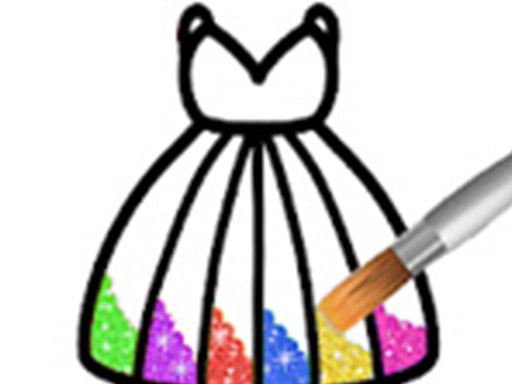
Color the dress, hair and background with plain, glitter or shiny paints. Besides tap-to-fill, you can change the brush size and paint freehand. There is no guarantee the game keeps your picture, so take a screenshot if you want it. Because one tap fills an area, it suits young children. The tip on the Princess Glitter Coloring page: save the glitter for the crown and belt, and keep the background a different tone from the dress.
Mermaid Coloring Book Glitter
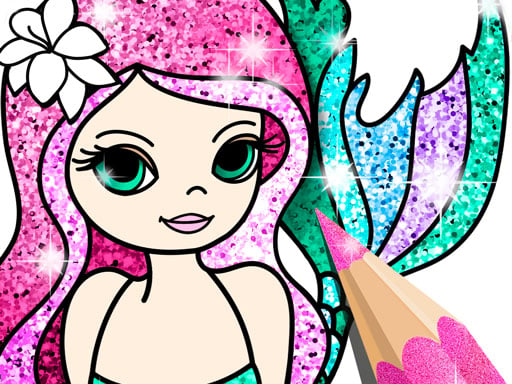
Flat colors, glitter and patterned brushes for hair, tails and seashells. Closed areas fill in one tap, so nothing spills, and the glitter and pattern brushes add a second coat on top. The game has a save button, but a screenshot is still the safest way to keep it for good. Leave for the gallery mid-picture and it may reset.
Spray and canvas art
These two feel more like a tiny studio: blends, spray clouds and layers instead of fixed outlines.
Draw Paint Spray Game
Brush, bucket and spray are three separate tools. Fill the base with the bucket, add details with the brush and puff soft clouds of color with the spray; hold longer and the color gets deeper. No points, no timer. Saving depends on the version, so grab a screenshot to be sure. Draw Paint Spray is the most open-ended game on the list.

Silhouette Art
You start with a blank canvas: blend colors with the brush into a sky, place stickers and add glitter. In the last step a black silhouette layer drops in and the whole picture suddenly comes together. No drawing skill needed, since you never draw shapes by hand. Undo any layer you dislike and try again.

Saving and printing at a glance
- Own save option: Ancient Aztec, Kawaii, Unicorn and Mermaid.
- Print option: Happy Valentines Day Coloring.
- Saving depends on the version or is not guaranteed: Draw Paint Spray, Princess Glitter, Coloring Book For Kids and Silhouette Art.
- No saving info on the game page: Coloring Dinos, Coloring And Learning and I Can Paint.
Simple rule: if the picture matters, take a screenshot even when there is a save button.
Which one to start with
For a preschooler, Kawaii or the fill mode of Coloring Dinos is the right first step: no reading, no spilling. For more games aimed at little ones, see our preschool games page. A child learning numbers will enjoy the color-by-number mode in Coloring Book For Kids. If you want to keep the picture or make a card, Ancient Aztec and Happy Valentines Day Coloring stand out. And if you would rather make something of your own, head to Draw Paint Spray and Silhouette Art. More calm games live in the kids category and among our educational games.
Frequently asked questions
Do these coloring games work on a phone?
All 12 games on this list have touch controls on their page; you pick colors and paint with your finger. For detailed pages, Unicorn Coloring Book is the most comfortable on a phone thanks to its zoom.
How do I keep a picture I colored?
Ancient Aztec, Kawaii, Unicorn and Mermaid have a save option, and Happy Valentines Day Coloring can print. For the rest, a screenshot is the safest bet.
Which ones can a very young child play?
The tap-to-fill games: Kawaii, Unicorn, Princess Glitter and the fill mode of Coloring Dinos. Naming the colors together turns it into a shared activity.