Tap a key, hear the sound: 4 games for exploring instruments with kids
When you pick music games for kids, check one thing first: no score and no timer. At this age the game's job is to show what happens when a key is tapped. What does a xylophone sound like, how does a drum hit, where are the high and low notes on a piano? Three of the four free browser games below have no way to lose; the fourth is a colour and sound sequence game for slightly older kids. All of them run with touch on a phone and need no install or account.
Why a music game without points is a good start
Most music games are really reflex games: tiles fall, you tap them in time, one miss and it is over. We covered that kind, rules and all, in how to play piano games. For a small child a different door works better: free play. Your child presses random keys, compares sounds, bangs the same key five times in a row. Since there is no wrong note, there is nothing to be afraid of.
In free play your part is to ask small questions. 'Is that sound high or low?' or 'Which is louder, the drum or the flute?' turns tapping into listening. No game replaces a music lesson, but as a first meeting with the sound of an instrument it is easy and costs nothing.
Where to start, by age
The age bands below are a rough map. Every child's interest and fine motor skills differ, so watch what makes yours laugh and what bores them, and adjust.
Toddlers and early preschool: tap and listen
Big colourful keys work best here. Piano Kids Music Songs offers piano, xylophone, drum kit, trumpet, flute and guitar on its main screen, and the key sounds come from real instrument recordings. The game's own advice makes sense: with a very young child, begin with the xylophone, where the keys are large. No reading is needed, so, like the picks in games for kids who cannot read yet, your child can find their way around alone.
Around school starting age: follow the marked key
The song mode in the same game is the natural next step. The keys to play light up one after another, and each press on the marked key carries the tune forward. No sheet music needed, yet your child sees for the first time that a melody is simply keys in a certain order. There is no timer, and missing a key brings no penalty.
Older kids: finding a tune by ear
For a child who wants to play alone, The Simple Piano opens a full-size keyboard. A note keeps sounding as long as you hold the key, several keys at once on a touch screen make a chord, and if the keyboard does not fit you swipe sideways to other octaves. The game's tip helps here: most simple children's songs can be played on the white keys alone, so skip the black ones at first. Try 'Mary Had a Little Lamb' or 'Twinkle, Twinkle, Little Star' without any notes, just by ear.
Four games, four ways to explore
The Play button on each card opens the game directly. All four are single player, but with a small child, sitting next to them speeds up the discovery.
Piano Kids Music Songs: six instruments on one screen
Switching instruments takes one tap, and the back button returns to the list. With nothing to lose and no clock, your child can hop from drums to flute whenever they like. On a phone several keys can be pressed at once, so two small hands can play together.
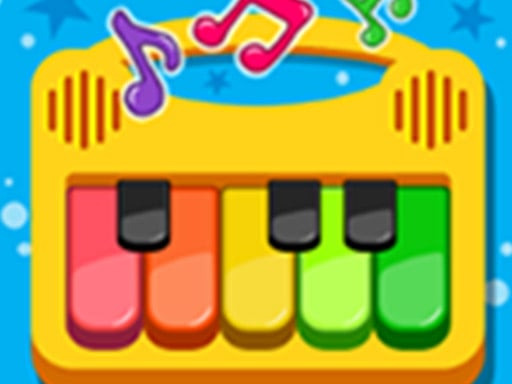
The Simple Piano: closest to a real keyboard
No levels, no points, no losing; it is built purely for playing your own tune. A mouse presses one key at a time, so a child who wants to try chords will find a tablet or phone much easier.

Music Tools: piano, drums and guitar
Music Tools puts three instruments on separate screens: keys on the piano, a different sound for each part of the drum kit you hit, and a chord when you touch the guitar strings. The drum screen is great for rhythm; as the game suggests, tapping your foot to keep time and hitting along with it keeps the beat steady.

Baby Repeater: a sequence of colours and sounds
The only game here with rules. Baby Repeater lights colours one by one, each with its own sound; your child repeats the same order, and every round adds one more colour. A single wrong colour sends you back to the start, so it suits kids who can handle losing. Its own tip is a musical one: remember the sounds rather than the colours, and the sequence becomes a little tune that is easier to hold on to.

Three small games to play together
- Guess the sound: your child closes their eyes, you play an instrument in Piano Kids Music Songs, and they name it.
- Copy the rhythm: play a short three or four beat pattern on the drum screen and let your child play it back. Then swap roles.
- Same song, two instruments: play a tune in song mode on the piano, then on the xylophone, and talk about how they differ.
For more side-by-side ideas, see games to play together with your child.
Notes on volume, time and screens
Music games need sound on, but quiet. If your child uses headphones, keep the device volume low and check it now and then. Playing through the speaker also makes it easier for you to hear what they are doing and share the moment.
Free play games have no natural ending, so agree on the stopping point before you start. A concrete limit like 'two more songs and then we stop' is easier for a young child to grasp than minutes on a clock. For the bigger picture, read balancing screen time and play.
Checklist
- Does the game have points or a timer? For a small child, pick one that does not.
- Are the keys big enough for your child's fingers?
- Is the volume low, and have you checked it in the headphones?
- Did you agree on when to stop before starting?
- Have you sat down at least once and listened to the sounds together?
Frequently asked questions
Does my child need to read music?
No. In the three free play games any key makes a sound, and in the song mode of Piano Kids Music Songs following the marked key is enough.
Can these games replace piano lessons?
No. They are a place to get used to keys and instrument sounds; they do not stand in for a lesson, a teacher or a real instrument.
Can I play with a computer keyboard?
These four games are played with a mouse or touch. For chords or two-handed playing, a touch screen is far more comfortable.
Where can I find more games for kids?
The kids games and learning games sections have plenty more age-appropriate picks.