Number games for preschoolers: from counting objects to first sums
The right counting game depends on where your child is right now: counting objects, putting numbers in order, combining two small numbers, then real addition. The five free browser games below follow those steps in that order. The first two need no reading at all, just tapping. The last two ask your child to read digits and think a little faster. All of them open on a phone or tablet with touch controls, with nothing to install and no account to create.
The real question: reciting numbers or understanding them?
Lots of four-year-olds can rattle off one to twenty like a nursery rhyme, then count five apples on the table and get six. That is completely normal. Saying the number words in order and giving each object exactly one number are two separate skills. Knowing that five is more than three comes next, and joining two groups to find the total comes last.
No game teaches these steps on its own, but games are great for repetition. Tapping three ducks on screen and choosing the right digit makes more sense after your child has done the same thing with spoons at the kitchen table. So the plan is simple: count real things first, then use the game to practise.
Suggestions by age and stage
Age is only a rough guide. In the same nursery class you will find children who read digits and children who cannot yet count to five. Use the groups below based on what your child can do today.
Ages 3 to 4: tap and count
The goal here is linking an object to a number. There should be no timer, no losing and no text to read. That is why Kindergarten Kids Learning Games comes first: in the counting activity your child answers by touching the right object, and nothing can be lost. The voice-over is in English, which suits English-speaking families; if you speak another language at home, repeat the number in that language too.
Ages 4 to 5: order and compare
Lining numbers up from smallest to largest opens the door to the question of which is more. The number section of Kids Education asks for exactly that: put scattered values in order. A wrong answer never ends the game, the question simply comes round again, and right answers turn into stars.
Ages 5 to 6: merge and add
Once your child recognises digits, the next idea is that two of something become the next number up. Get 10 Ultimate fills a grid with 1s and merges matching neighbours when you tap them: two 1s make a 2, two 2s make a 3. It is not addition as such, but it shows numbers climbing in order all the way to 10. For real sums, move on to Math Playground.
Five games and the step each one practises
The list runs from easiest to hardest. Each note also tells you whether reading is needed.
Kindergarten Kids Learning Games: first counting
Every activity on the menu is a small game of its own. Counting, shapes and coloring sit side by side, so a child who gets bored can switch topic. The game's own advice points the same way: with very young children, start with coloring and shapes, then move to the number rounds. No reading needed, and the large pictures suit small fingers.
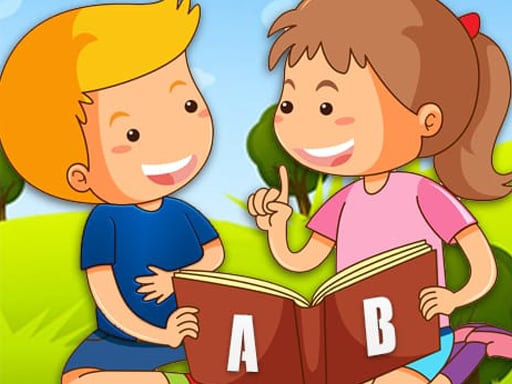
Kids Education: putting numbers in order
A collection with color, shape, number and letter sections. The number section asks for ordering from small to large. There is very little text and the game leans on pictures, so it fits a child who knows digits but does not read yet. Keep the sound on, because object names are spoken aloud.
Get 10 Ultimate: the number sequence
No swiping, just clicking or tapping: touch neighbouring numbers of the same value and they become the next one up. When no neighbours can merge, the game ends. With a young child, skip the score and ask what number is coming next. If you want the strategy side for older players, our number merge tactics guide covers it.

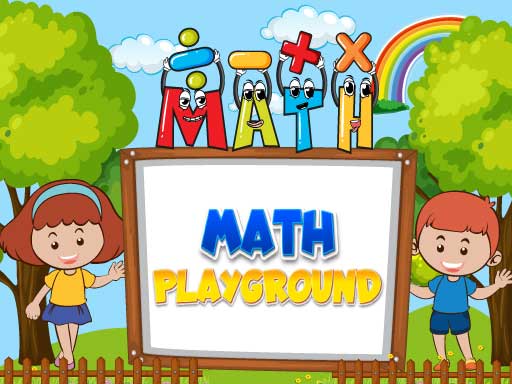
Math Playground: first sums
Your child reads the sum on screen and taps the right answer from the options. Questions start with addition and later stretch to subtraction, multiplication and division. For preschool, the early addition questions are plenty; stopping when it gets harder is fine. A wrong answer pulls the streak back, so sit alongside for the first few rounds. When school brings multiplication, the same game shows up again in our times tables games guide.
Money Fest: going up and going down
This game does not teach coin names or values; it treats money as a running balance. As the runner moves down the track, gates for adding, subtracting, multiplying and dividing appear, and you pick the one that grows your balance. Drop below zero and the level ends. The numbers stay small, but decisions are quick, so it suits a child of about six who reads digits. Asking whether the money went up or down makes a nice opening for a chat about pocket money. On a computer you steer with A and D or the arrow keys, on a phone by sliding a finger left and right.

For more options, browse the Educational category and our preschool games guide. Colors and shapes have their own article: games that teach colors and shapes.
Turning the game into number talk
The game is a short moment; the real gain comes in the chat afterwards. A few practical ideas:
- Ask your child to show on their fingers how many stars they won.
- In Get 10 Ultimate, have them guess the next number before looking.
- After Money Fest, count the coins in the piggy bank together.
- Count stairs on the way up and plates at dinner, so the skill leaves the screen.
Safety, time and language notes
Free browser games can show ads between rounds. A young child may tap one by accident, so stay close for the first sessions. Most menus are in English, and digits look the same in every language, so once a child knows them the language barrier shrinks. Agreeing on the length before starting and stopping when an activity ends works well; our parent's guide to browser games has more on that.
Parent checklist
- Can your child count up to five objects, matching one number to each?
- Does the chosen game need reading, and does your child recognise digits?
- Are timed games kept for a child who can already put numbers in order?
- Are you nearby for ads and menus in the first sessions?
- After playing, did you count at least one set of real objects together?
Frequently asked questions
Which game should a child who cannot read start with?
Kindergarten Kids Learning Games and Kids Education. Both are played by tapping or dragging, and no answer needs reading.
Is it a problem that the voice-over is English?
Not for English-speaking families. If your home language is different, the shapes of the digits stay the same, so saying the number in your own language after the voice helps your child link both words to one digit.
When should we move on to addition?
When your child can count small groups and tell you which number is bigger. Do a few sums with fingers or objects first, then bring in the multiple-choice questions on screen.