The Flash Game Years, and Where That Kind of Game Lives Now
The old Flash games stopped working because Flash itself was switched off. Adobe ended support for Flash Player at the end of 2020, browsers removed the plugin, and a game file from 2005 now has nothing to run inside. What did not disappear is the format: short, free games that open in a tab with no install. Those are built in HTML5 today, and many of the genres you remember have a close modern equivalent you can play straight away.
This page does two things. It looks back at how that era worked, and then it matches each classic genre to a game on Oyun Köşesi that plays in a similar way, so you know where to click if you are chasing a particular feeling.
Why the Flash games stopped loading
Flash was a plugin, a separate piece of software that sat on top of the browser. For most of the 2000s that was normal; you installed it once and every animated banner, cartoon and game on the web used it. The trouble started with phones. The iPhone never ran Flash, Android dropped it after a few years, and developers began building for the open web standards that every device could read instead.
Security was the other half of the story. Flash needed constant patches, and browsers gradually started blocking it by default and asking permission before running it. By the time the official end date arrived, most people had not seen a Flash prompt in years. Early in 2021 the last remaining Flash content was blocked outright, which is why an old bookmark now shows an empty box or a missing plugin icon.
Fan-run archive projects have preserved a huge number of those files, but they generally need a download and some patience. If you just want to play something with the same spirit on a lunch break, a modern browser game is the quicker route. Our explainer on what an HTML5 game is covers the technical side if you are curious.
The portal years: Miniclip, Newgrounds and the school computer room
If you grew up in the UK or the US in the 2000s, you probably remember a handful of names. Miniclip was the one that turned up in school IT rooms, often on the one site the filter forgot to block. Newgrounds was louder and stranger, home to animation as much as games, with a community voting on every upload. Addicting Games, Kongregate and Armor Games filled the later part of the decade with longer games, badges and high score tables.
The experience had its own rhythm. A loading bar crept across the screen, an intro splash for the portal played before the game, and there was usually a 'skip' button you learned to find instantly. Games were small because they had to download over a slow connection, which pushed designers towards one clever mechanic rather than a big world. That constraint is exactly why so many of them are still remembered.
Classic Flash genres and what to play now
The games below were picked because each one maps to a type of game that was everywhere on those portals. None of them is a copy of a specific old title. They are simply the closest match in feel, with the controls taken from each game's own page.
Paddle and ball: Reflex Pong
Pong clones were a portal staple because they were easy to code and hard to put down. Reflex Pong adds a twist the old ones rarely had: you control two paddles at once, the left one with W and S and the right one with the arrow keys. A two-minute countdown speeds the ball up, and the space bar gives you a shield to save one bounce. It runs on phones too, where each half of the screen drags one paddle.

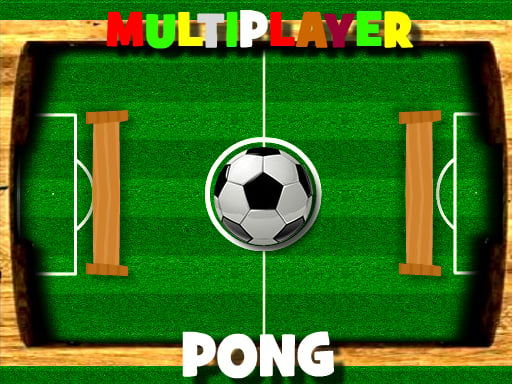
Head-to-head pong: Multiplayer Pong Time
The multiplayer side of the Flash era was clunky, but a two-player paddle game was often the first taste of playing a stranger online. Multiplayer Pong Time keeps that idea simple: pick a nickname, join the queue, and whoever connects next is your opponent. The paddle follows your mouse, or your finger on a phone, and the first to reach the agreed score wins.
Brick breaking: Maya Brick Breaker-3
Breakout-style games filled whole sections of every portal. Maya Brick Breaker-3 is the plain version: a wall of bricks, a paddle along the bottom and a ball you must not drop. Where the ball hits the paddle sets its angle, so aiming comes from positioning rather than timing. Arrow keys, the mouse or a finger on a phone all move the paddle.
Launch for distance: Mr BounceMaster
Few genres are more Flash than 'hit a character as far as you can, spend the coins, try again'. The yeti-and-penguin games of the mid-2000s made it famous. Mr BounceMaster follows the same loop: one click launches the penguin, another gives a mid-air push, and a well-timed click near the ground keeps the bounce alive. Coins buy upgrades between attempts, and those upgrades are what push your distance record out.

Stunt driving: City Car Stunt 3
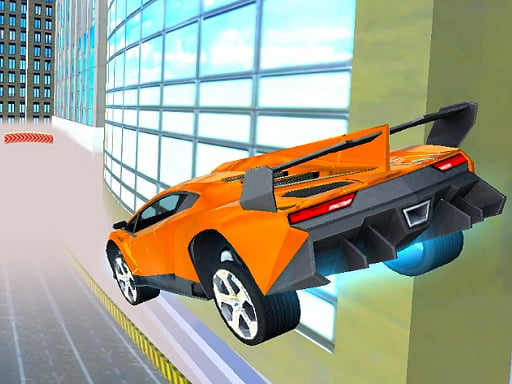
Car games with ramps and loops were some of the heaviest downloads on the old portals. City Car Stunt 3 puts giant ramps over city rooftops across six timed courses, with a free roam map where the car plays darts, football and bowling. Two people can share one keyboard, one on the arrow keys and one on WASD. It is built for a keyboard and is awkward on a touch screen, so save it for a laptop.
Sports mini games: Bowling 3D
Portals always had a sports corner, and bowling was a regular because it fits a single mouse gesture. In Bowling 3D you slide the ball to choose your line, then drag forward to roll it; the speed of the drag sets the pace and its angle bends the ball. Strikes and spares score the way they do at a real alley. A swipe does the same job on a phone.

Calm puzzles: Woody Block Puzzles
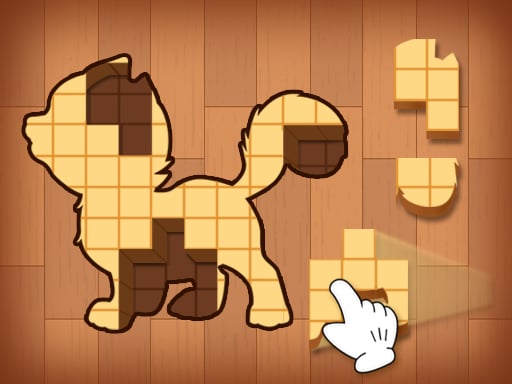
Not every Flash favourite was frantic. There was always a quiet puzzle tab for when the teacher walked past. Woody Block Puzzles has no clock at all: you drag three wooden pieces onto a grid, full rows and columns clear, and the game ends only when nothing fits. Pieces cannot be rotated, so the order you place them in is the whole challenge.
The phone game that ended up everywhere: Snake
Snake was never a Flash original, but browser versions of it were on every portal because everyone already knew the rules. Our Nokia 3310 snake rebuild stays close to the handset look, with arrow keys on a computer and on-screen buttons on a phone. There is a whole piece on the Nokia snake and how to score higher if that is the one you miss most.

What is different about playing these today
The biggest change is the missing middle step. There is no plugin to update and no permission prompt; you open the page and the game loads. Most of the games above also work on a phone or tablet, something no Flash game ever did, although keyboard-heavy ones like the stunt driver are still happier on a computer. Our guide to browser games on phones and tablets explains which kinds of controls travel well to a touch screen.
What has not changed is the deal. These are free, short and made to be dropped into for a few minutes. Scores are usually shown for the session rather than stored forever, so a record run is best chased in one sitting, just like the old days before anyone had an account on a games site.
If you liked the social side of the late 2000s more than the portals, the farm and cafe games that took over news feeds have their own page on old Facebook games and their modern cousins.
Where to start
For pure nostalgia with the least learning, start with the snake or the brick breaker; you will know what to do within seconds. If you remember losing afternoons to 'one more launch', go straight to Mr BounceMaster. If you had a friend next to you at the school computer, City Car Stunt 3 on one keyboard is the closest thing to that. And if you want something that feels new while keeping the old spirit, Reflex Pong's two-paddle trick is a good test of how quick your hands still are. You can browse the rest of the arcade games or the skill games once you have found your favourite.