How to clear a parking level without a scratch: reverse, camera, feathering
To finish a car parking game level without touching anything, you need three habits: tap the throttle instead of holding it, swing the camera so you see the bay from above, and reverse in at an angle instead of driving nose first. The clock rarely matters much in these games. What fails you is a scrape against a pillar or the car next door. Below we walk through each habit step by step, then look at what changes when you swap the car for a school bus or a motorbike.
The rule every parking game shares
Almost every parking game uses the same setup. There is a marked bay somewhere on the map, you drive your vehicle to it, and the level is complete once the vehicle sits fully inside the lines. Hitting another car, a wall, a barrier or a post either ends the attempt or makes the task harder. So the real question is never how fast you can get there. It is how you get in without touching anything on the way.
- Goal: stop the vehicle completely inside the marked bay.
- Penalty: contact with a car, wall, barrier or post.
- Inputs: arrow keys or WASD for throttle, brake and steering, often with a separate brake or reverse key.
- Helpers: camera angle, zoom, parking sensors and ground markings.
Reversing into a bay, step by step
Just like in a real car park, the cleanest result is an angled reverse. Backyard Car Parking spells it out: drive about one car length past the bay, then back in at an angle. Trying to drive straight in usually costs you two or three extra shuffles.
- Approach parallel to the lines and drop to walking pace.
- Stop roughly one car length beyond the bay.
- Select reverse and turn the wheel toward the side you want the rear of the car to go.
- As the rear starts entering the bay, straighten the wheel gradually.
- Stop once the car lines up with the markings; nudge forward to centre it if needed.
Steering in reverse trips a lot of people up. Keep one rule in mind: turn toward where you want the back of the car to go. If you lose track, stop, lift the camera and look again. Stopping never costs you anything in these games.
Camera angle: you cannot park what you cannot see
The default view in most parking games sits behind the car. It is comfortable for driving, but it hides the lines and the gap to the next vehicle. Advance Car Parking Driver Simulator lets you drag the screen to rotate the view and double tap to zoom, and the game itself recommends a top-down angle. In the motorbike game the C key does the same job.
A routine that works: drive to the bay with the chase camera, stop when you arrive, then swing the view overhead. Leave it there for the whole manoeuvre; if you rotate the camera on every turn, your sense of distance resets each time. Save the zoom for the last few inches, not for the approach.
Throttle control: feather it
The most common mistake in parking levels is holding the key down. Steady throttle always carries the car further than you meant. Tap, release, watch how far the car rolls, then tap again. Advance Car Parking Driver Simulator puts it neatly in its own tips: in parking stages, speed control matters more than steering. Treat the brake the same way. In games with a Space brake, slow down a car length or two before the bay rather than at the very last moment.
Worked example: squeezing between two parked cars
Say the free bay sits between two parked cars and you are rolling down the middle of the lane. Most players point the nose straight into the gap. The front bumper fits, but the rear clips the neighbour. Try this instead: pass the gap, stop a car length ahead and switch to the overhead camera. Engage reverse, turn the wheel toward the gap and feather the throttle. When the rear wheels cross the line, straighten up and bring the front in. If the angle is off on the first try, do not force it. Pull forward a little and fix it with a second pass. Two clean moves always beat one rushed attempt that ends in a scrape.
Bus versus motorbike: the turning circle
The same technique gives different results in different vehicles, because each one reacts to steering in its own way.
Long vehicle: the school bus
In School Bus Simulation the bus is long, so on a turn the rear wheels track inside the front ones. Wait until you reach the corner before steering and the back end catches the kerb or a parked car. Turn in early, before the corner arrives. A heavy bus also does not stop the instant you brake, so creep up to the bay at walking pace. If you miss the angle, back up and line up again instead of forcing it. W and S handle throttle, brake and reverse, A and D steer, and on a phone the on-screen buttons do the same.
Two wheels: the motorbike
Parking Bike 3D Game teaches the opposite lesson. The bike is nimble and fits through tight corners, but it is unstable at low speed and overreacts to small steering inputs when you go fast. The answer is again patience: enter tight turns at walking pace and blip the throttle. WASD rides, R reverses and Space works the rear brake. If you clip a barrier and drop the bike, press T to stand it up and carry on from the same spot. Do not panic and pin the throttle; wait a second first. The level ends when the front wheel is inside the bay and the bike stops. This one is played with a keyboard and does not run on phones.
In short, the bus problem is a wide turning circle and the bike problem is balance. A car sits between the two, which is why it is the easiest place to start.
Common mistakes
- Holding the throttle down, so the car always overshoots.
- Leaving the camera behind the car, so the lines and side gaps stay hidden.
- Trying to get in with a single move, which ends in a scrape when the angle is off.
- Turning the wrong way in reverse: stop, go overhead, think again.
- Steering the bus at the corner itself, when the rear wheels need you to turn in early.
- Rushing the bike, which only turns cleanly at low speed with short bursts of throttle.
Which game to practise with
The five games below let you try these tips in a sensible order: learn the basics in a car, move up to a long vehicle, finish on two wheels. If you want something completely different, Draw The Car Path is a calm parking puzzle where you draw the route with your finger instead of steering. Drawing the farthest car first keeps the routes from crossing.
- Car basics: Advance Car Parking Driver Simulator, for sensors and camera control. Works on phones too.
- Reversing on an open map: Backyard Car Parking, played with the arrow keys, with petrol stations and garages to explore between jobs.
- Long vehicle: School Bus Simulation, city driving plus parking. Works on phones too.
- Two wheels: Parking Bike 3D Game, on a computer with a keyboard.
- Calm puzzle: Draw The Car Path, one finger, fine for younger kids.
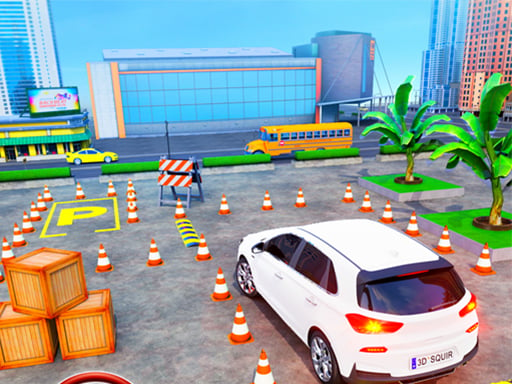 ▶Advance Car Parking Driver Simulator - Free Game
 ▶Backyard Car Parking - Free Parking Game 3D
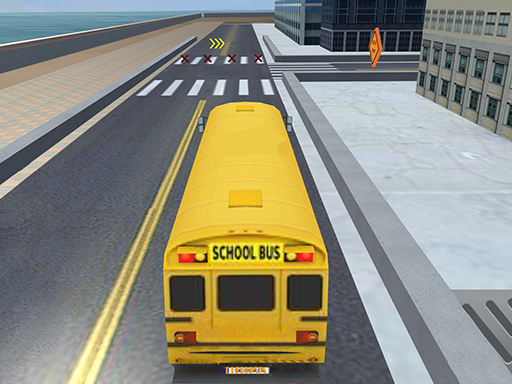 ▶School Bus Simulation - Free 3D Parking Game
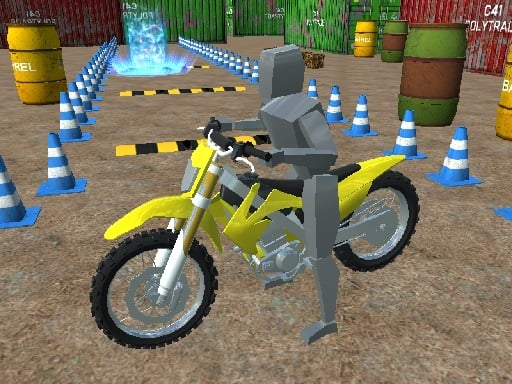 ▶Parking Bike 3D Game - Free Parking Game
 ▶Draw The Car Path - Free Parking Puzzle Game
Curious about driving styles beyond parking? Our car games guide compares drifting, ramps and simulators. Every parking and free-roam title is collected in 3D driving and parking games, and the full list lives in the car games category.
Frequently asked questions
Which way do I steer when reversing in a parking game?
Toward the side you want the rear of the car to go. If the back should swing right, turn right. When you get confused, stop the car and switch to the overhead camera; from above the direction is much easier to read.
Can I play parking games on a phone?
It depends on the game. Advance Car Parking Driver Simulator, School Bus Simulation and Draw The Car Path work on a touchscreen. Parking Bike 3D Game and Backyard Car Parking need a keyboard and do not run on phones.
Why is parking a bus harder than parking a car?
The bus is long, so the rear wheels cut inside on every turn, and a heavy vehicle does not stop the moment you brake. Turning in before the corner and approaching the bay at walking pace solves both problems.
What happens if I crash?
In most parking games, hitting another car, a wall or a post fails the attempt or makes the task harder. In the motorbike game you can press T to stand the bike back up and continue, while in Draw The Car Path two crossing routes send you back to the start of the level.